
Guide
Best 3D Printers for Beginners in 2026
The hard part of buying a first 3D printer is not picking a brand — it is picking the right technology for what you actually want to make.
These are the machines I recommend to people starting out, with the specs that matter and the running costs nobody puts on the box.
FDM vs Resin: Which Should You Start With?
FDM printers melt a plastic filament and draw each layer with a moving nozzle. Resin printers (MSLA) cure a whole layer of liquid photopolymer at once by shining UV light through an LCD. FDM wins on part size, running cost and mess — you can put one in a spare room and print a helmet in sections.
Resin wins on fine detail, because its in-plane resolution is set by the pixel pitch of the screen rather than the width of a nozzle. It also brings real obligations: gloves, ventilation, alcohol washing, UV curing and cured-waste disposal. Printing large props and armour? Start FDM. Printing 32 mm miniatures and small detailed parts? Start resin.
What Actually Matters in a First Printer
Build volume decides how often you have to slice a model into pieces and glue it back together, and every glue seam is sanding you did not have to do. Automatic bed levelling removes the single most common source of beginner failure. Firmware matters more than the headline speed number — a Klipper-based board with input shaping and pressure advance holds quality at speeds an older 8-bit controller simply cannot.
Last, check that nozzles, belts, build plates, FEP film and LCD panels are cheap and actually in stock, because every one of those is a wear part.
Headline Speeds Are a Ceiling, Not a Setting
Manufacturers quote a maximum, not a working number. The Neptune 4 series is rated to 500 mm/s but ships with a 250 mm/s default profile, and that default is the honest figure for a beginner.
Speed also exposes material problems: at high flow rates, damp filament pops and crackles audibly at the nozzle and strings across the print. PLA straight from a sealed bag is usually fine. PLA that has sat open on a shelf for months prints far better after six to eight hours in a dryer at 45–50 °C — never hotter, because PLA starts softening near its glass transition and will fuse on the spool.
Budget for the Whole Setup, Not the Printer
The machine is roughly half the cost of getting printing. An FDM setup adds filament, spare nozzles, a build sheet and eventually a dryer.
A resin setup adds resin, isopropyl alcohol, nitrile gloves, a respirator, replacement FEP film every few hundred hours, and a wash-and-cure station that every single print has to pass through. Work out the full number for both before you compare two printers on sticker price.
Recommended Gear
Our Picks

Pros
- 320 × 320 × 385 mm build volume — most helmets and pauldrons fit in one piece
- 121-point automatic bed levelling
- Klipper firmware with input shaping: 250 mm/s default, 500 mm/s ceiling
- 300 °C hotend, so PETG and higher-temp filaments stay on the table later
Cons
- Large and heavy — it wants a dedicated bench, not a corner of a shelf
- Damp filament shows up fast at high speed, so plan on a dryer

Pros
- 225 × 225 × 265 mm — plenty for miniatures, parts and small props
- Same Klipper firmware and auto-levelling behaviour as the Plus
- Smaller footprint and lower entry price
Cons
- Build volume forces you to split larger props into sections
- Open frame, so it is happiest with PLA and PETG in a draught-free room

Pros
- 10-inch 12K mono LCD (11520 × 5120), roughly 19 × 24 µm in XY
- 219 × 123 × 220 mm — large for a consumer resin printer
- Tilt-release peeling, rated up to about 150 mm/h on suitable models
- Built-in camera with failure detection and time-lapse
Cons
- Needs ventilation and a full PPE routine, not just a spare corner
- Every print has to be washed and UV cured before it is finished
- FEP film and the LCD panel are consumables with a service life
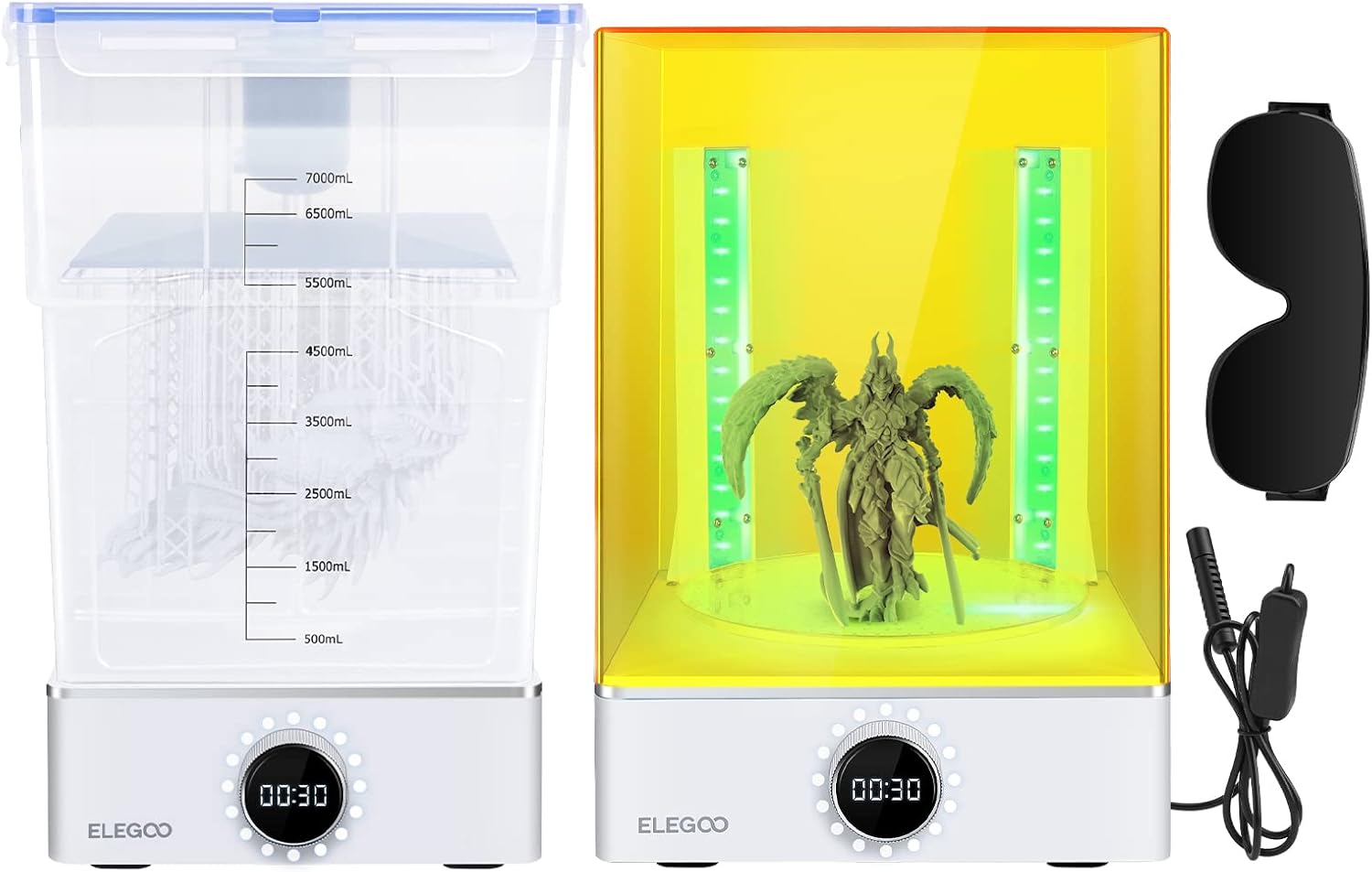
Pros
- Washing and curing in one station instead of two tubs and a nail lamp
- Large enough to take plates straight off the Saturn 4 Ultra
- Keeps the alcohol and the smell contained instead of spread across your bench
Cons
- One more appliance to find space for
- Wash solution needs periodic replacement, and it has to be UV cured before disposal